Organize models
less than a minute
Use model tags to organize registered models into categories and to search over those categories.
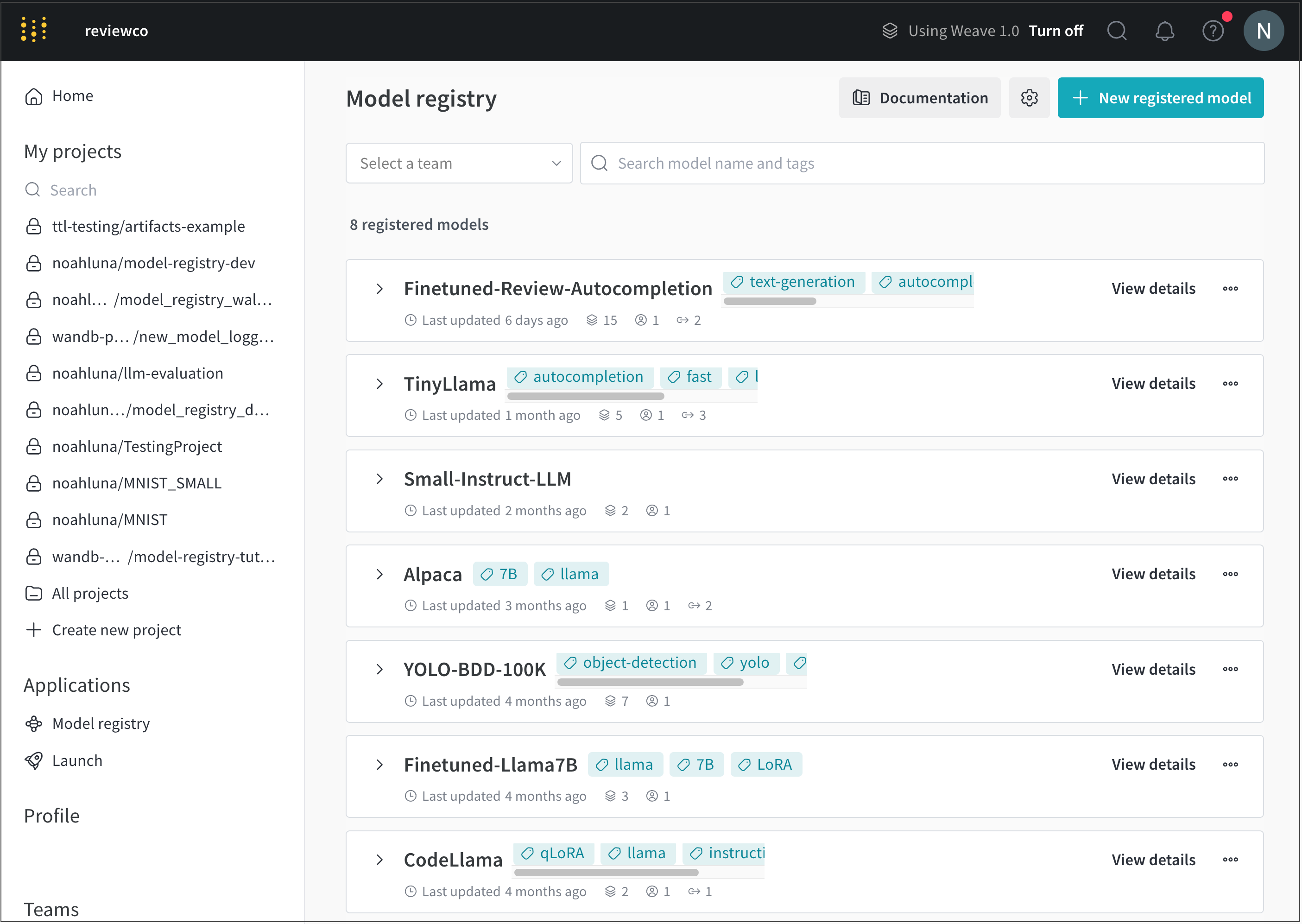
Navigate to the W&B Model Registry app at https://wandb.ai/registry/model.
Select View details next to the name of the registered model you want to add a model tag to.
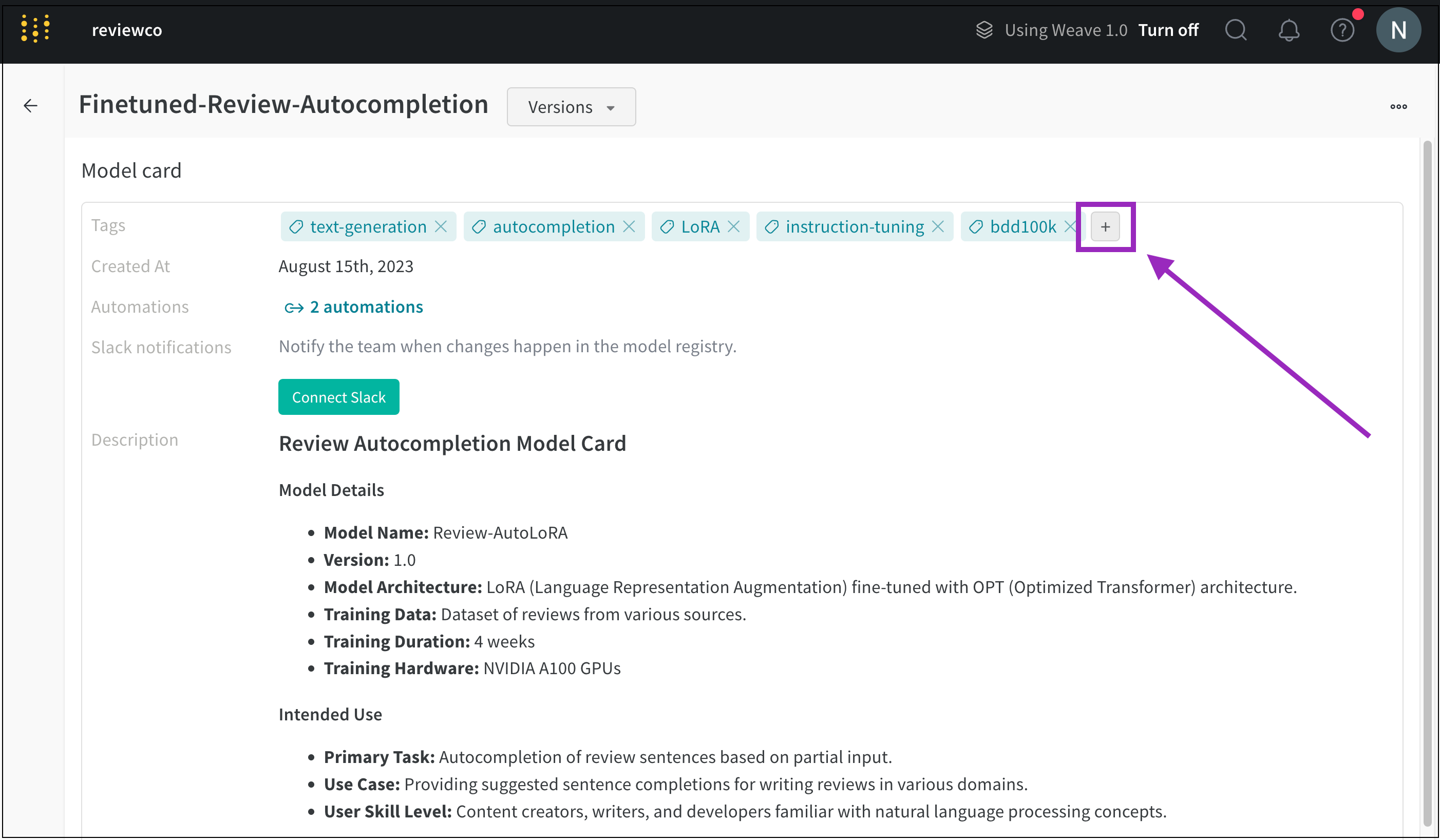
Scroll to the Model card section.
Click the plus button (+) next to the Tags field.
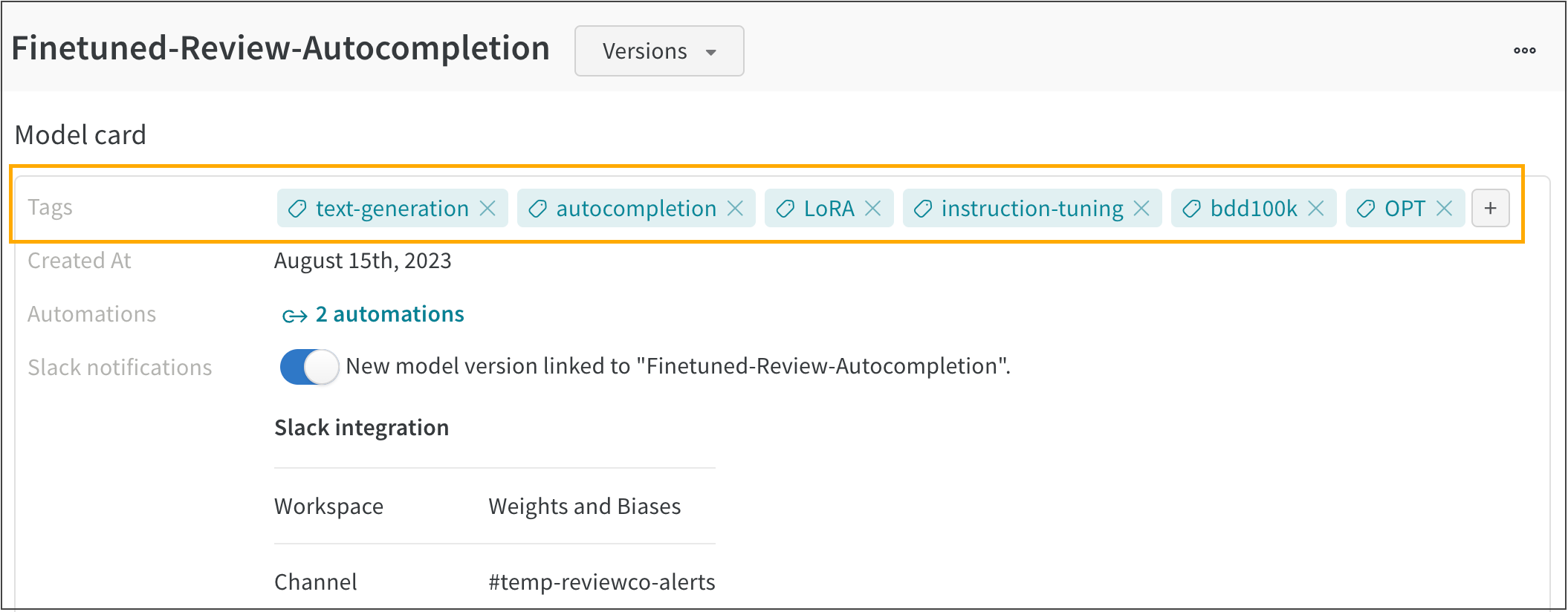
Type in the name for your tag or search for a pre-existing model tag. For example. the following image shows multiple model tags added to a registered model called FineTuned-Review-Autocompletion:
Feedback
Was this page helpful?
Glad to hear it! Please tell us how we can improve.
Sorry to hear that. Please tell us how we can improve.